Slots from six studios
Habanero, Pragmatic Play, JDB, CQ9, FA Chai and Ezugi fill the slot shelves. Bets open at ৳1 on titles such as Golden Leopard and Wild Bandito, so a small session stretches further than you would expect.
Slots, live dealer tables and crash games on your Android phone. The jk1971 app installs in about a minute, runs on Android 6.0 and above, and takes 28 MB of storage.
18+ · Play Responsibly. Only install the file from this page, and never from a Telegram group or a pop-up ad.
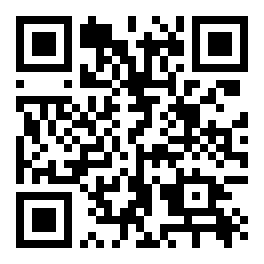
Point your phone camera at the code to open this download page on Android. On a computer, send yourself the link instead.
Five steps, roughly two minutes on Wi-Fi. Keep the phone you will play on and the number you use for bKash or Nagad close by.
Open Settings, then Apps, then Special access, and pick Install unknown apps. Choose the browser you use for downloads and switch the permission on. You can switch it off again once the file is installed.
Tap Download APK at the top of this page. The file jk1971.apk is 28 MB, so a mobile data connection usually needs a minute or two. Wait until the download notification says complete before opening it.
Find jk1971.apk in your notifications or in the Downloads folder. Tap it, read the permission list, then press Install. If a Play Protect message appears, choose Install anyway: the file simply does not come from the store.
Open the app and log in with the mobile number and password you already use on the website. New to jk1971? Register first, then come back, since the app has no separate account system. The login page also holds the password reset.
Open the cashier, choose bKash, Nagad, Rocket, Upay or a bank transfer, and deposit at least ৳200 to trigger the 175% welcome bonus up to ৳19,500. Most deposits land in about 1 minute.
There is no iOS APK. Safari can still keep the site one tap away.
The jk1971 app is a shell around the same account and the same 1,200 games. Pick whichever fits how you already use your phone.
| What you notice | jk1971 app | Mobile browser |
|---|---|---|
| Getting started | One 28 MB file from this page | Nothing to install, just the link |
| Opening the lobby | Lands straight on the game tiles | Loads the page each time you visit |
| Data on repeat visits | Assets cached, so less re-downloading | Page and images fetch again |
| Deposits and withdrawals | bKash, Nagad, Rocket, Upay, bank | Same five methods |
| Game library | Full lobby, all 1,200 titles | Full lobby, all 1,200 titles |
| Live chat | One tap from any screen | Opens in a second tab |
| Updates | Install a newer APK when we publish one | Always the current build |
| Phone storage | 28 MB plus game cache | Only browser cache |
Money moves at the same speed on both: deposits about 1 minute, withdrawals around 18 minutes. The ৳25,000 daily withdrawal cap belongs to your account, not to the app, and a higher VIP tier lifts it.
File name: jk1971.apk · Size: 28 MB · If the name on the download screen reads anything else, delete the file and start again.
| Version | 3.5.6 |
|---|---|
| File size | 28 MB |
| Minimum Android version | 6.0 |
| Last updated | 9 November 2026 |
| Price | Free |
| Languages | English and Bangla |
Android 6.0 or newer, a little free space beyond the 28 MB file for updates and game cache, and a steady connection. Deposits and withdrawals need a bKash, Nagad, Rocket or Upay number registered in your own name.
Phones on Android 5 or older cannot run the APK. Use the mobile site on those devices instead: the game lobby and the cashier work the same, only the install is skipped.
The lobby carries the same 1,200 titles as the website, sorted into slots, live tables, crash, fishing and lottery. Six parts of it are worth knowing before you start.
Habanero, Pragmatic Play, JDB, CQ9, FA Chai and Ezugi fill the slot shelves. Bets open at ৳1 on titles such as Golden Leopard and Wild Bandito, so a small session stretches further than you would expect.
Crash Bonus and Plinko run in rounds of a few seconds. Place a bet from ৳1, then cash out before the multiplier folds. No page reloads between rounds.
Ezugi streams the live lobby: roulette, baccarat and card tables from a studio. Tables open in the same window, so your balance stays on screen while you switch.
The cashier sits one tap from the lobby. bKash, Nagad, Rocket, Upay and bank transfer all work, deposits show in about 1 minute, and withdrawals clear in around 18 minutes once KYC is approved.
Balance, bet history, deposit limits, KYC uploads and the ৳25,000 daily withdrawal cap live in the profile tab. Support answers on 24/7 live chat from the same menu.
Lucky Gods Fishing and Fishing Disco pay on aimed shots, while Keno, Lucky Dice and Bingo Adventure cover the lottery crowd. Stakes run from ৳2 to ৳10 depending on the title.

JDB · RTP 96.7% · bets ৳1 to ৳10,000

CQ9 · RTP 97.8% · bets ৳2 to ৳10,000
Both open inside the app without a browser tab. The rest of the shelf sits under the casino guide.
Fewer prompts than most apps you install. Here is what each one is for, and the habits that keep an account safe on a shared phone.
The app writes game assets and your download cache to phone storage, which is why Android shows a storage prompt on first launch. It does not read your photos, contacts or messages, and it does not need them to run.
The lobby, live tables and cashier all need a connection. Slot spins and crash rounds are light on data. Live dealer video is the heaviest part, so keep long table sessions on Wi-Fi where you can.
Install only from this page. If a Telegram group or an ad offers a modified jk1971 APK with extra bonus codes, skip it: patched files are built to capture your password and the OTP sent to your phone.
No member of staff will ever ask for your bKash PIN, your password or the six-digit code sent to your phone. Lock the screen on your phone, and log out before you hand the device to someone else.
Most failed installs come down to five things. Match what your phone says to the row below before you contact support.
| What you see | Why it happens | What fixes it |
|---|---|---|
| App not installed | An older jk1971 copy is already on the phone | Uninstall the old app, restart the phone, then open the new APK again. |
| Parse error, or the file will not open | The download stopped early, or the phone is older than Android 6.0 | Download again over Wi-Fi. Check Settings, About phone for the Android version. Android 5 cannot run the app. |
| Install button is greyed out | Unknown sources is off for the browser you used | Settings, Apps, Special access, Install unknown apps, pick your browser, then Allow. |
| Login screen keeps returning | Stale cache from an earlier session | Clear the app cache under Settings, Apps, jk1971, Storage, then log in. Still stuck? Reset the password on the login page. |
| Cashier stays blank | Weak connection or an expired session | Switch between Wi-Fi and mobile data, close the app fully, reopen the cashier. Deposits usually appear in 1 minute. |
If none of the five match, reinstall from the file linked at the top of this page and clear the Downloads folder first. A half-downloaded copy is the usual culprit.